
By the way, I’m having trouble with my email client at home. I work for two organizations, each of which has a lot of security measures and different protocols, etc., and no standard client works perfectly. May I ask what you use?
Dear Karim, I know this is getting a bit awkward, but I have one more please.
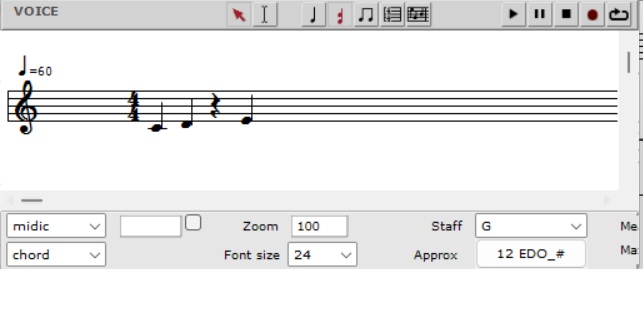
The modified note-coloring algorithm you sent me (“set -color-analysis”) also treats rests as “notes.” We could call it, say, “duration base.” From its perspective, the attached voice contains four symbols in four positions (three pitches and one rest). I wanted to ask for one improvement—an extension.
The extended algorithm should be able to work only with note pitches and ignore rests. From its perspective, there would be four characters in the attached voice, but it wouldn’t see the rest and would count only the note pitches. So, for it, there would be only three positions in the voice. We could call it, say, “pitch base.” Would that be possible?
with sincere thanks, P-
Yes it’s possible. But i thought you said "
Will do so, For the moment i am coding other things, Will get back to you.
Best
K
Dear Karim, yes, you’re right. However, the distinction between “duration-based” and “pitch-based” is clearly the simplest way to separate pitch and duration during analysis while also using “position” as a reference point. Otherwise, I wouldn’t have dared to ask for it. P-
Ok here is a new version with both options: chords only, and chords and rests.
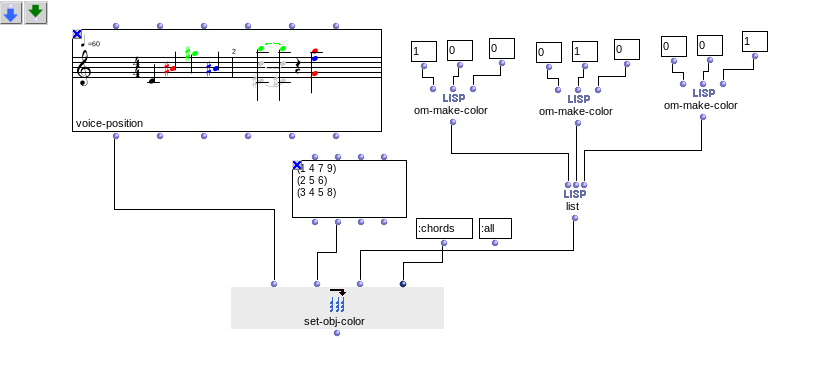
(use ‘k’ jey to open the optional key argument)
Here is the code:
analysis-color-2.lisp (3.3 KB)
The patch:
analysis-colors 3.omp (10.8 KB)
But tell me sincerely, don’t you think it is better to use selection mode instead?
Best
K
Dear Karim, thank you very much. Everything is working perfectly. It makes my job a lot easier. The colors in the voice sometimes “freeze,” but otherwise it’s great (I solve this by connecting the original voice with uncolored notes to the voice via “self,” which “resets” the voice. Or is there another—smarter—way? )
As for your question. You ask: “Don’t you think it’s better to use selection mode instead?” To be honest, I’m not sure exactly what you mean. What is “selection mode”?
I have compositions to analyze in the form of pitch sequences and duration sequences. A search algorithm works with these and tells me where what I’m looking for is located. Algorithm describes the location of the phenomenon I’m looking for using “positions.” So that I can then precisely mark such phenomena in the score as well, I need to highlight them somehow. And that’s why I change the colors of the notes.
How could “selection mode” help me?
best,
P.
What I meant by selection, is selecting manually notes in the Voice editor. But i understand your workflow.
I will check about the “freeze” issue. It could be related with windows version.
Best
K
Thanks for the explanation and for your willingness to look into the “freeze” issue. I’d be happy if we can resolve it. Otherwise, it works perfectly. I’ve already published the analysis method I’m currently refining (which uses “note coloring”). Now that I have a small grant for a new paper, I’ll do my best 
P-
I did some tests on the latest OM version and there were no problems. What OM version are you using?
I am on OM 7.7., WIN 11
Please can you try with the latest version 8.0?:
Sure, I downloaded OM8 and the problem persists. But it manifests itself differently.
Just click inside the open voice, and the “frozen” color from the previous iteration changes to the desired one. Also, about twice out of eight tries, the result was displayed incorrectly—meaning it didn’t “freeze” (it didn’t show the previous state); it was new but wrong, and clicking inside the voice didn’t help either. However, upon repeating the iteration, the correct result was displayed.
It seems strange to me.
Can you provide me with your example?
Sure. The first screenshot shows the state after the iteration (after iterat). The second screenshot (after mark) shows the state after I clicked on the note in the voice that was supposed to be red (but was black—uncolored—even though the text file specifies the color positions for notes that should be red: 0 1 4 7 9).
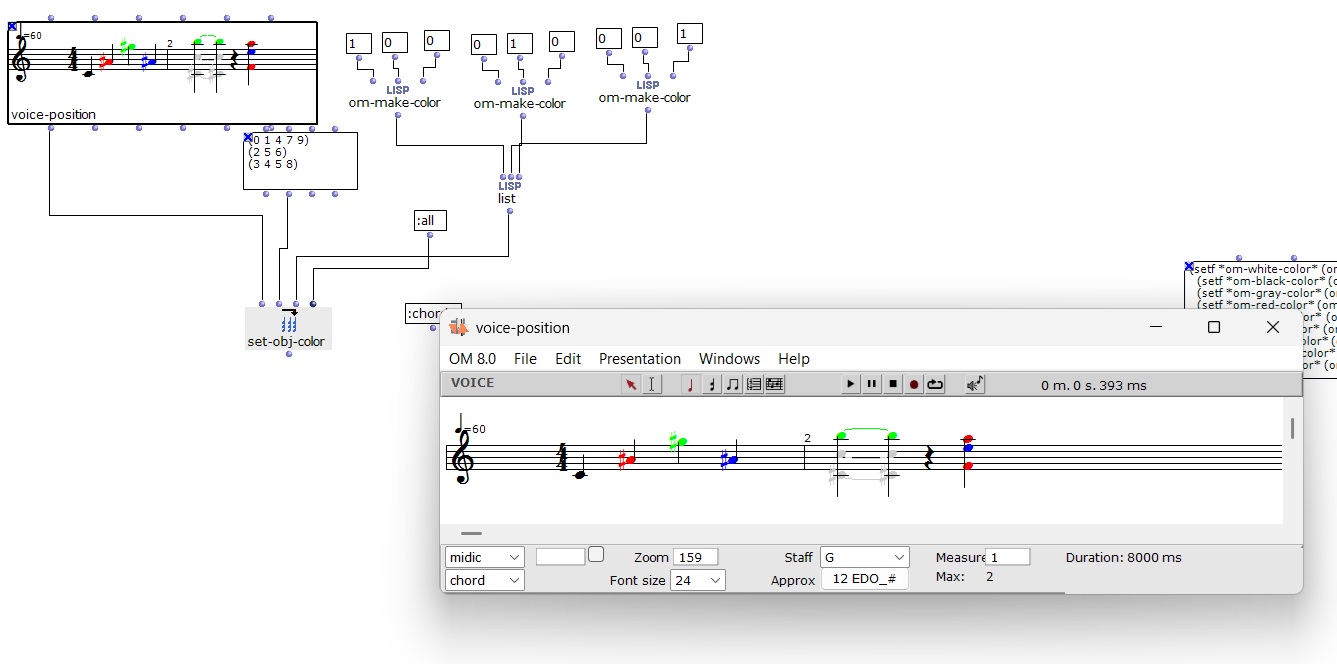
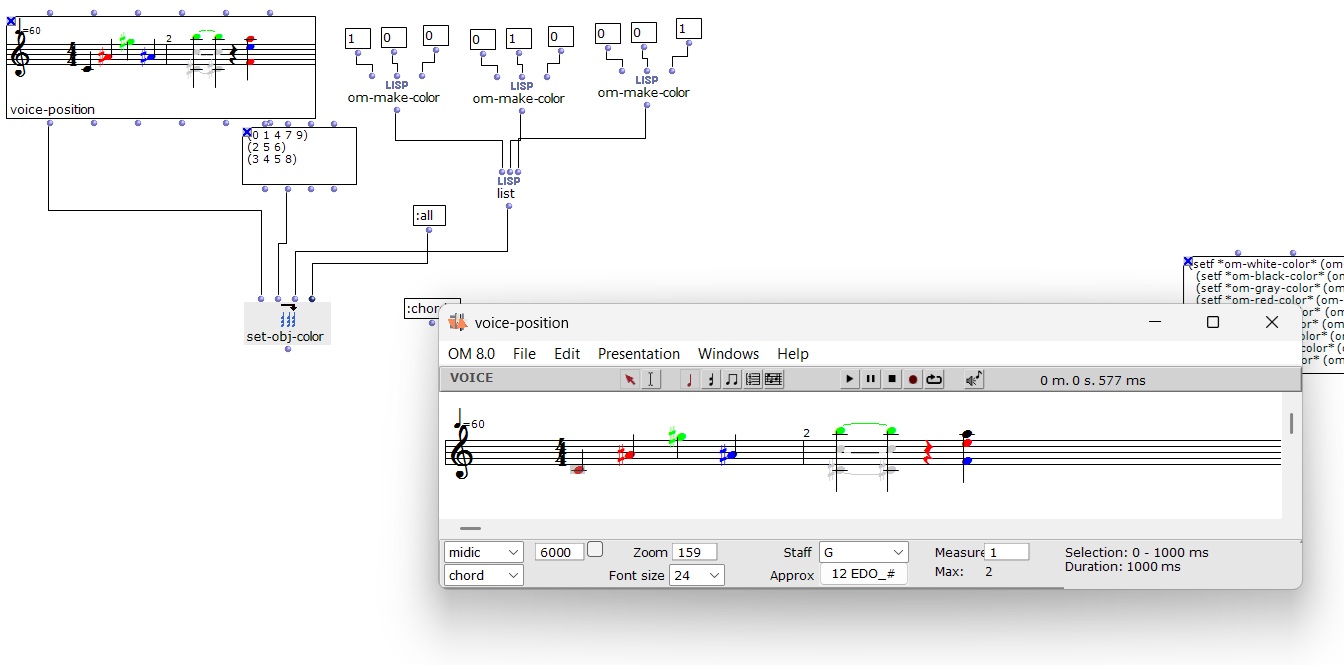
What is iterat???
Once you evaluate set-obj-color you have just to move the mouse inside the voice editor to update the view. No need to re-evaluate it again.This is normal. Is this the problem?
Iterat = iteration, evaluation. Every time I changed the input data for “set-obj-color,” I re-evaluated the “set-obj-color” object. Yes. And in OM 7.7, the result of the previous evaluation would sometimes “freeze.” In OM 8.0, it doesn’t freeze; you just need to click inside the open voice (in the editor). In OM 7.7, simply clicking in the open voice (in the editor) isn’t enough. If I change the input data for “set-obj-color” in OM8.0 and move the mouse inside the editor, the colors don’t change; I have to re-evaluate the “set-obj-color” object.
Yes you always need to evaluate the VOICE obj. Changing data inside the TEXTFILE obj is not enough.
Best
K
Dear Karim, thank you for clarifying that. For a moment, I thought that after changing the data in the text file, all I had to do was click in the voice editor (and that it wasn’t always necessary to eval) . Now I know that’s not the way it works. Thank you for your time. Have a nice day, P-
1 Like