Dear Karim,
yes, you’re right, I’m not using conventional terminology in this communication; my apologies. In this context, a “note” simply refers to any symbol that indicates pitch or duration, including rests. A melody is simply a sequence of “notes” in a given position.
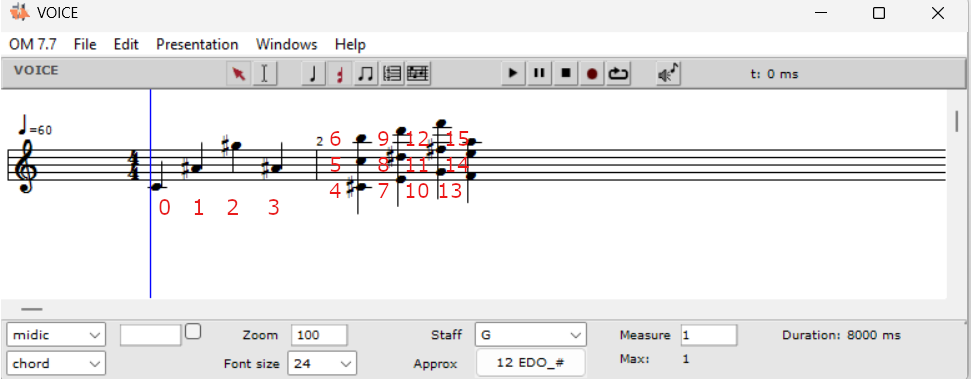
A chord, e.g., (6000 6300 6700), played harmonically consists of three different notes in the same position. To be more specific, let’s consider a piece composed, for example, of just five chords, each with only three notes. All chords are played harmonically. A list of positions that would mark all the “notes” in the given composition should look like this: (0 0 0 1 1 1 2 2 2 3 3 3 4 4 4).
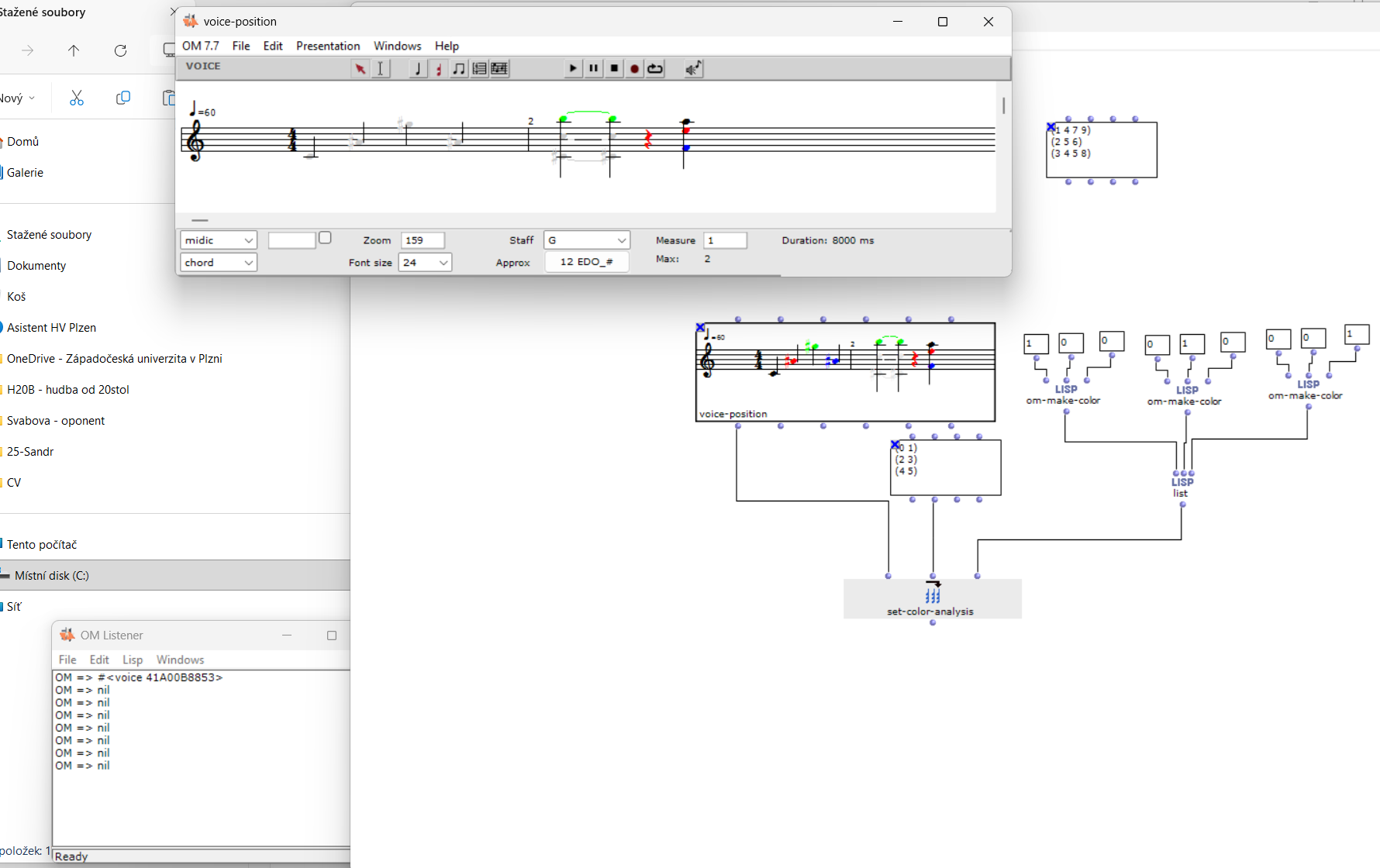
If the first three chords were to be green and the next two red, then the position list would be a treelist and would look like this: ((0 0 0 1 1 1 2 2 2) (3 3 3 4 4 4)). The RGB color treelist would then also contain two lists ((1 0 0) (1 1 0))
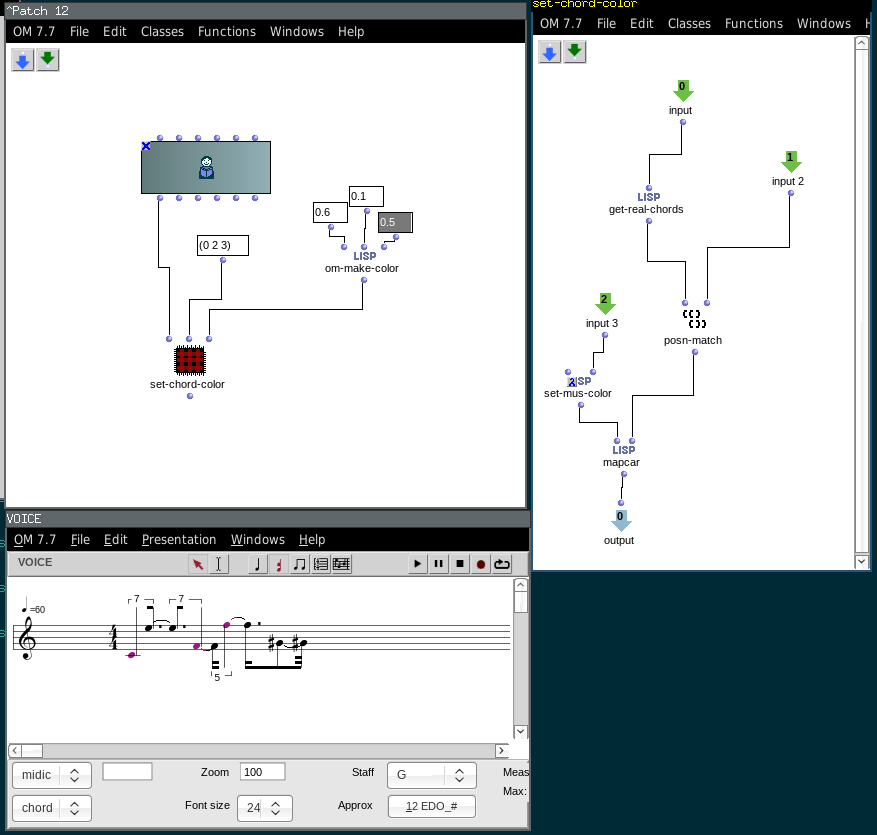
The algorithm you sent me can color notes that are in a given positions. Let me give another example. Notes in positions (1 3 4 5) should be red. If I want to color other notes at different positions, e.g., the notes at positions (2 3 5 6) green, I’ll enter the RGB parameters for the green color. After the iteration, the notes at positions (2 3 5 6) will be green, but the red color of the notes at positions (1 3 4 5) will disappear.
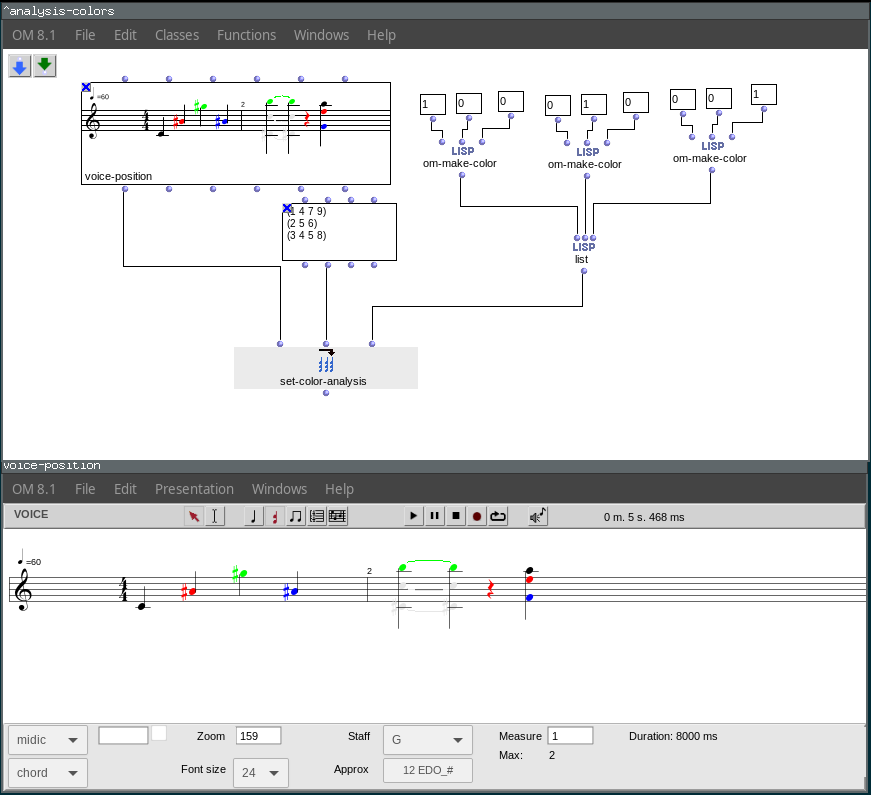
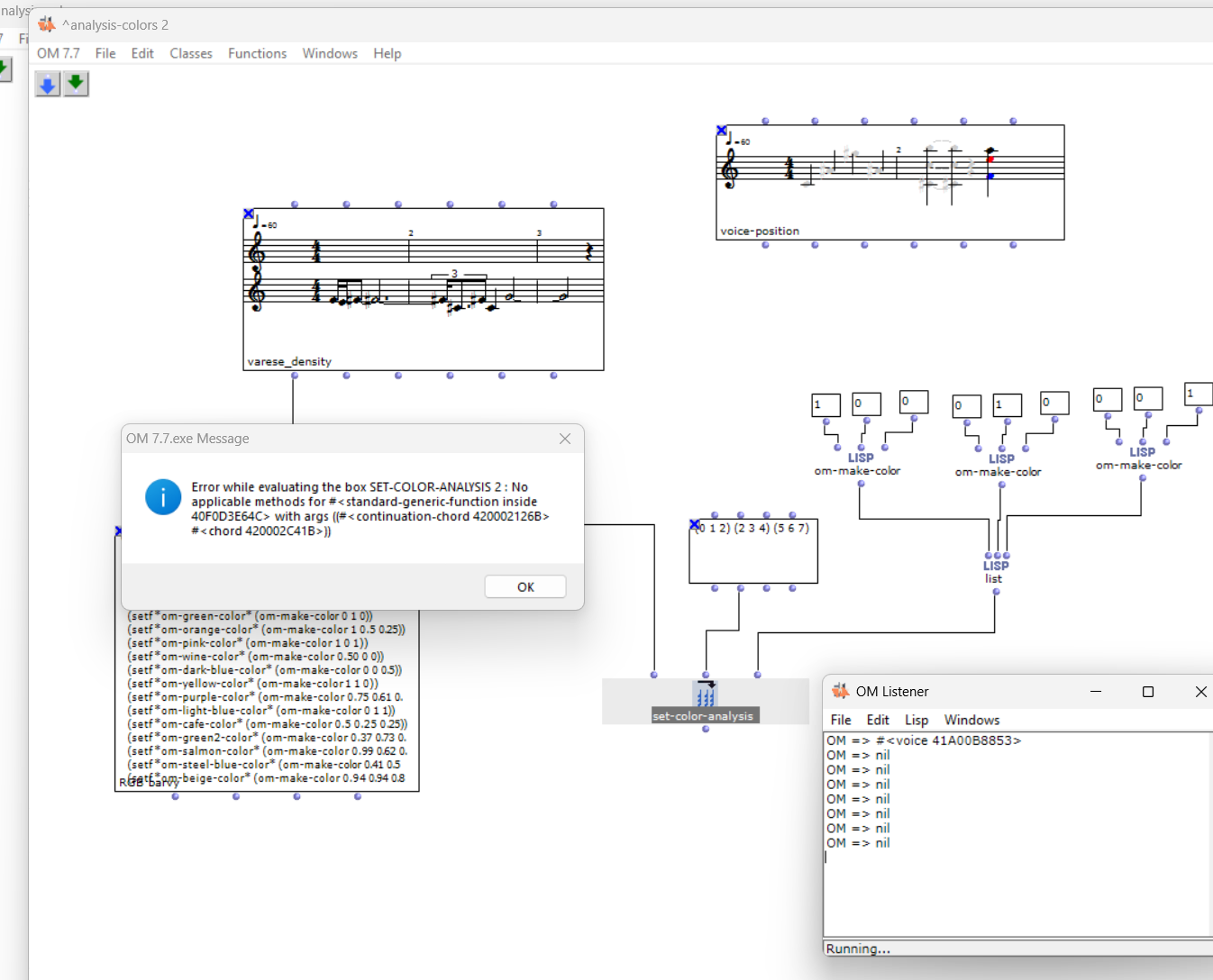
That is why I wanted to put the algorithm in an OMLOOP and specify as inputs a treelist of positions, e.g., ((1 3 4 5) (2 3 5 6)), and a treelist of RGB colors, e.g., ((1 0 0) (0 1 0)). However, I was unable to create such an OMLOOP. I wanted to ask for such an OMLOOP or another solution.
At the same time, I took the liberty of asking for one improvement. In the given situation, the notes at positions (1 3 4 5) are red and at positions (2 3 5 6) are green. Both lists have an intersection (3 5). Would it be possible to automatically color the notes in the overlap area gray using the RGB values (0.5 0.5 0.5)? The result would then be that only the notes at positions (1 4) would be red, the notes at positions (2 6) would be green, and the notes at position (3 5) would be gray.
Thank you once again for your willingness and kindness, PetrH