
< Back to IRCAM Forum

CPU performance

Hi all,

I’m having trouble with CPU usage building up when recording and performing offline onset analysis. I was wondering if anyone could take a look at the attached patch and see whether there’s anything I can do to improve performance.

I’m not sure whether I need all the set attributes in mubu.process, or whether some of them should have different values.

If I remove the imubu, the build-up doesn’t occur, so the issue may be related to that object or how it is being updated.

Any suggestions would be greatly appreciated.

Thanks!

All the best,
Erik

mubu record.maxpat (45.3 KB)
Hi Erik,

The patch reanalyses the whole recorded data every second, leading to quadratic CPU use. From the help file:

@process 1 is to continuously analyse added data (for live recording, ring buffer, etc.). With @process 0 or 2, analysis runs on bang […]”

Hi,
Thanks for the reply!
As it turns out, Rosetta was activated for my Max 9 installation.
As expected, the CPU usage decreased significantly after I turned it off.

However, there are still some unexpected problems with CPU buildup.
Attached is a stripped-down version of the recording part of the patch (no analysis).

To reproduce:

  • Record approximately 20 short, empty buffers.
  • Then let the next recording run for the full length of 60 sec.

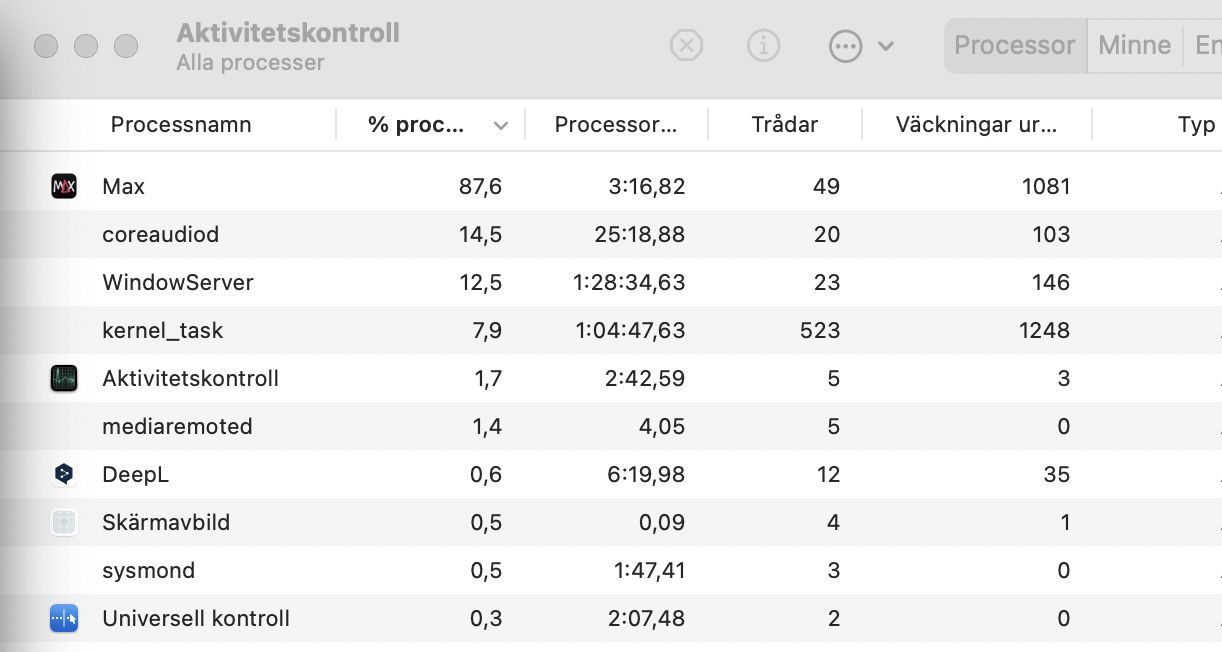
Towards the end, CPU usage reaches around 60% in Activity Monitor. When passing 50 seconds, imubu freezes and CPU usage jumps to over 80% before it releases (see attached image).

Since this happens even in a minimal patch without analysis, I’m wondering if this could be related to some kind of optimization or performance issue with imubu, or if something else might be causing it.

Has anyone experienced something similar, or is there a recommended way to avoid this CPU buildup?

Thanks!
All the best,
Erik
epx 1.0.0.maxpat (14.7 KB)

Hi, there is indeed something bad happening in imubu, sorry for this, although I had to record for >3 min to get to 100% CPU and hangs. What hardware do you have?
The workaround is to lower imubu’s refresh rate to 1000 ms while recording, or to switch display off altogether by refering to a dummy mubu.